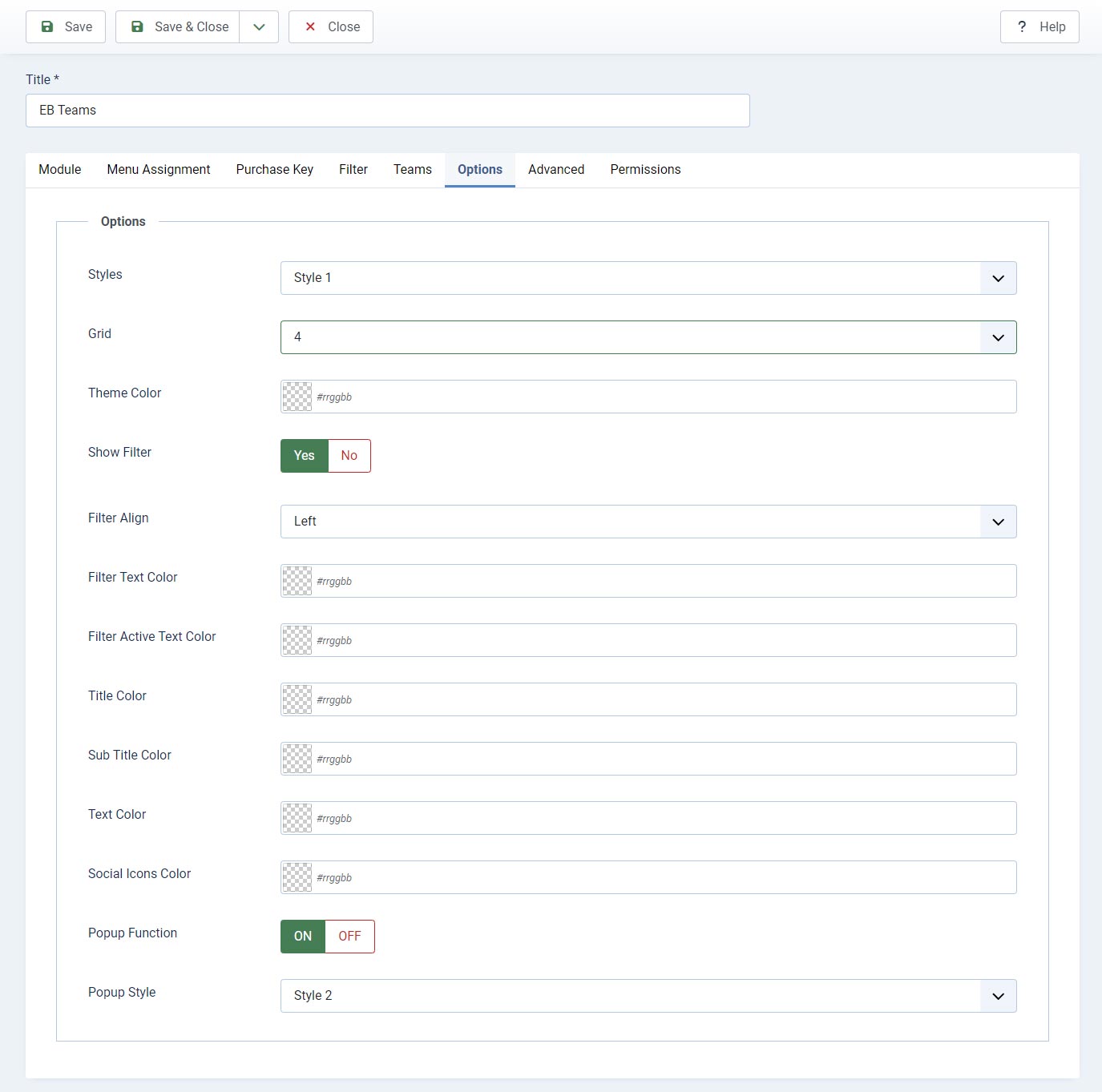
Step 1: Install EB Teams module
- Login to Joomla administrator panel and Go to System -> Extensions
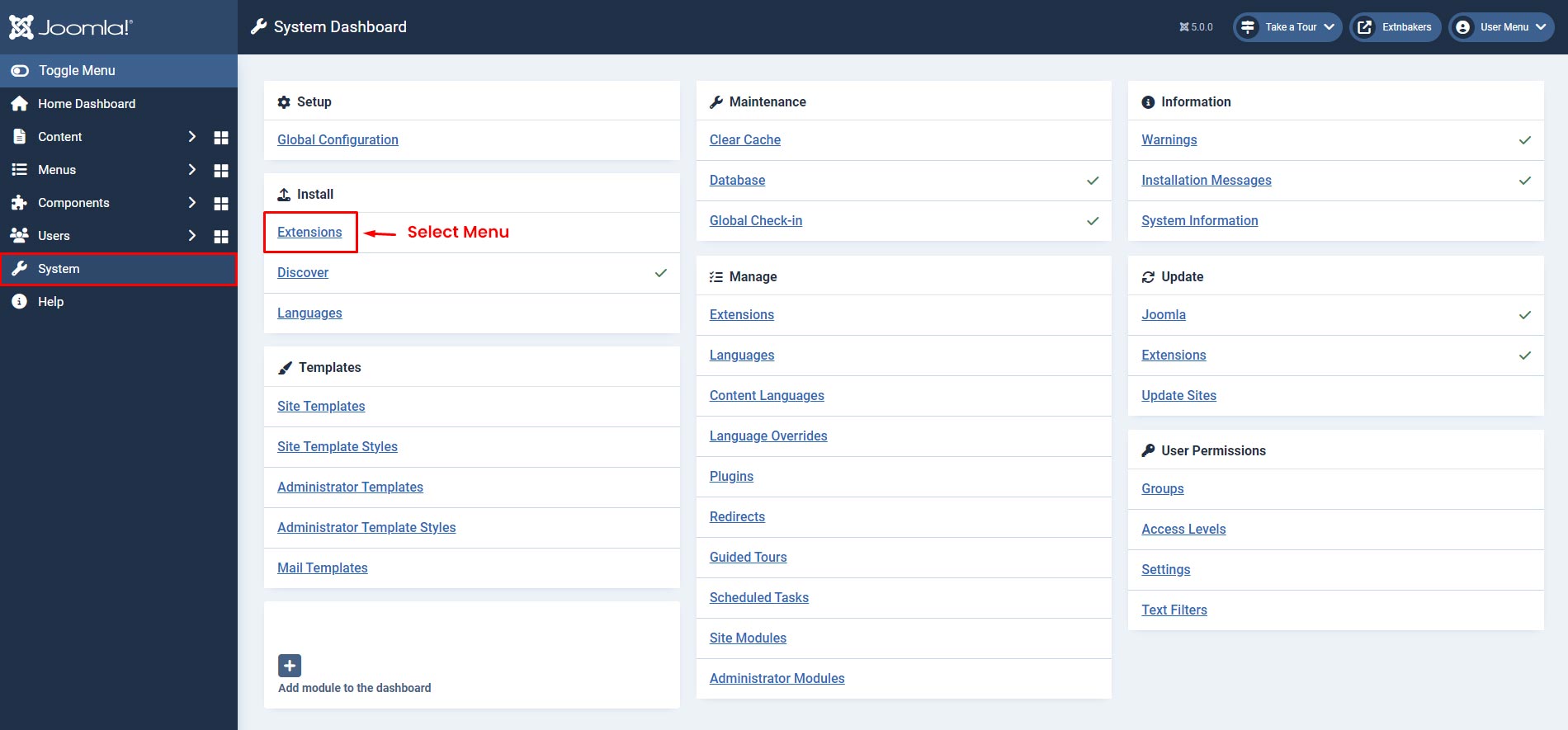
- Select the "Upload Package File" Tab, Then Upload Downloaded Zip
Step 2: Go to EB Teams Module
- Go to Home Dashboard -> Modules

Step 3: Module Page
- Search for "EB Teams" in the Search box and click on "EB Teams" module to start editing screenshot

- On the Module Edit Page, Select Position for EB Teams module for display and Change status from Unpublished to Published screenshot

Menu Assignment
- Configure Page where you want to display EB Teams Module screenshot

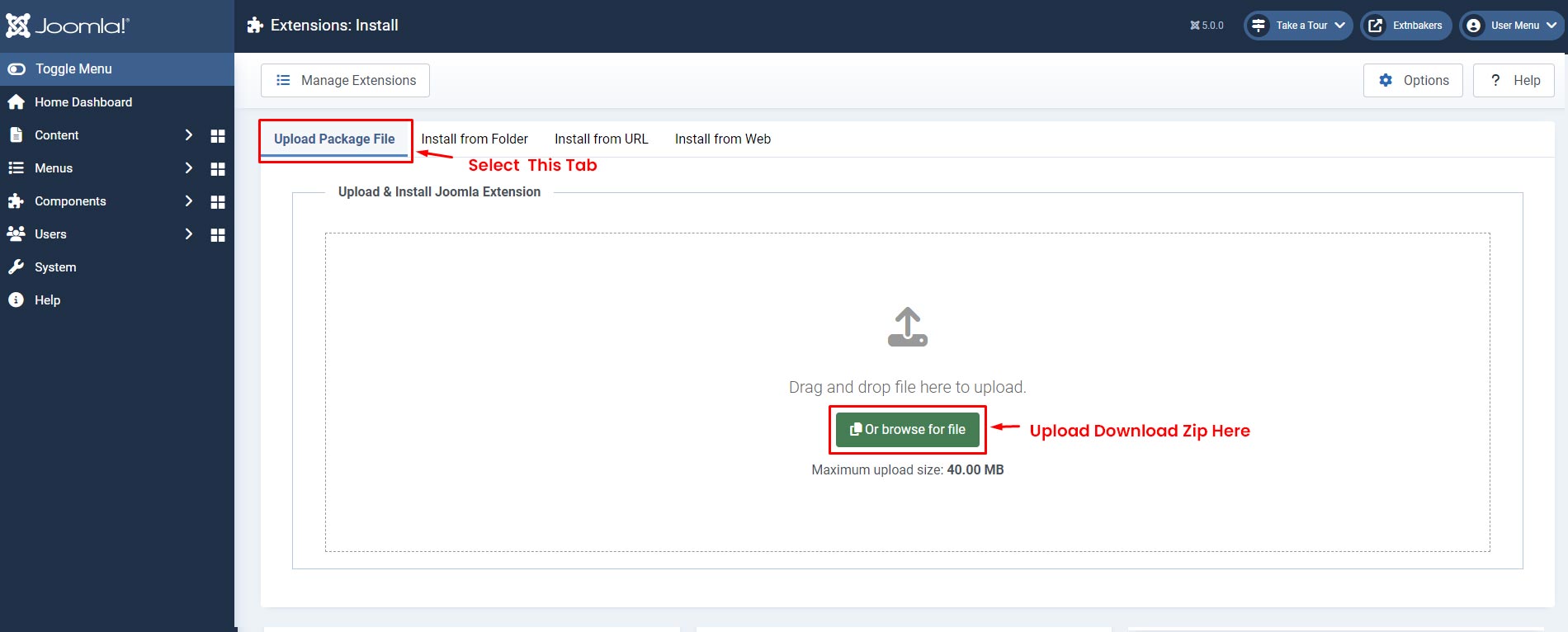
Purchase Key
- Enter the purchase key to enable auto updates
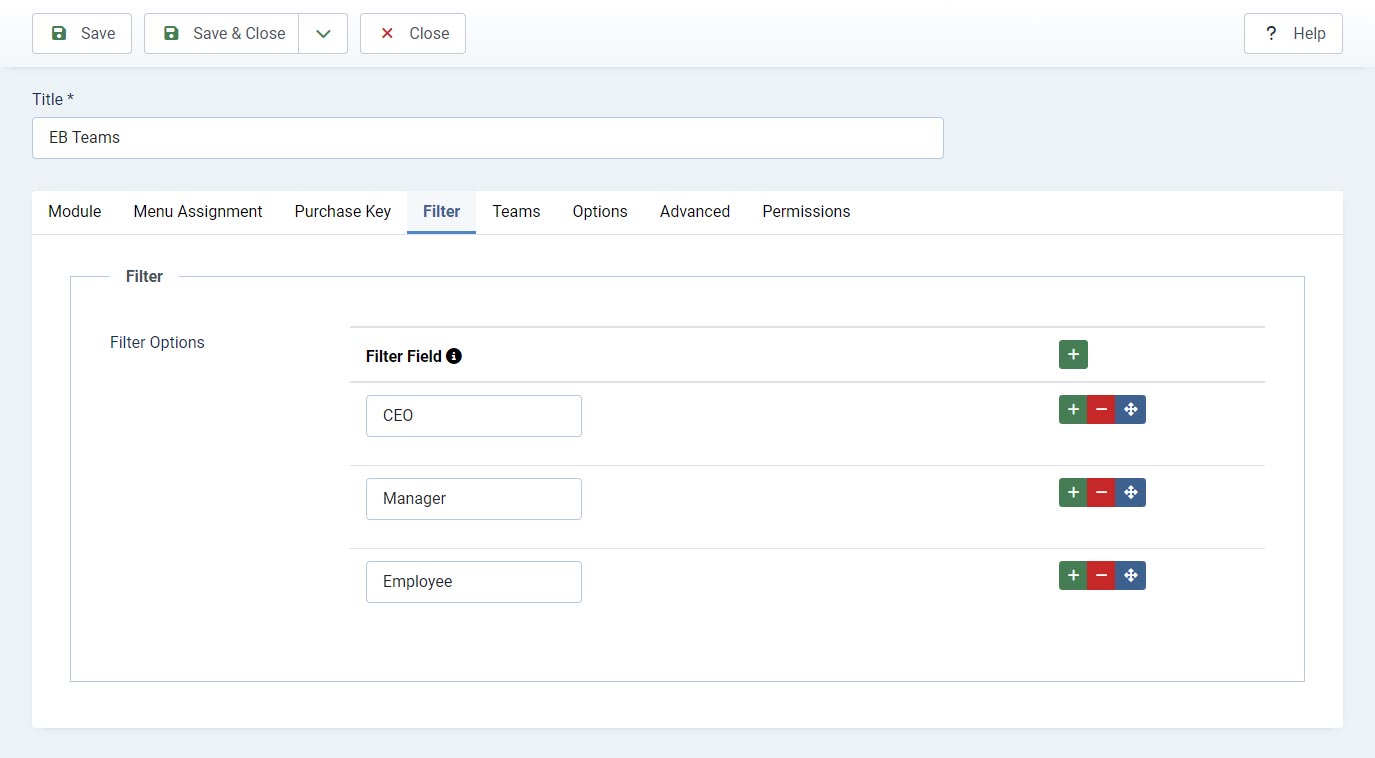
Filter
- Filter added this tab will display in Teams tab each item as dropdown filter option have
- Filter fields are optional
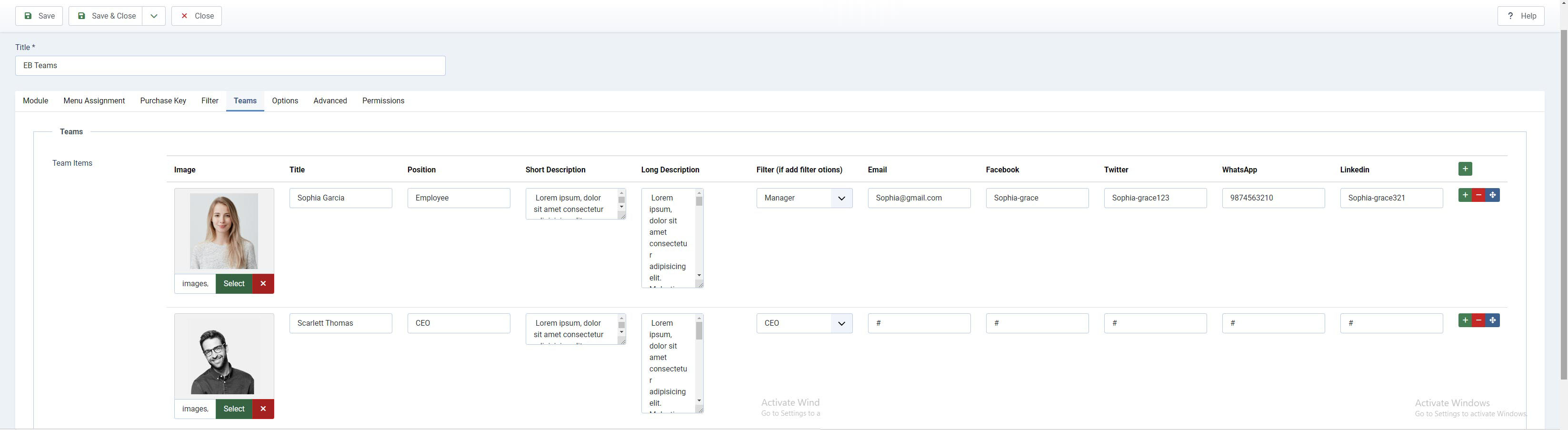
Team
- Image
- Title
- Position
- Short Description - Is display on profile and popup on option
- Long Description - Is display on popup on option
- Filter (if add filter options in filter tab)
- Email (Icon only display if not emapty field)
- Facebook (Icon only display if not emapty field)
- Twitter (Icon only display if not emapty field)
- WhatsApp (Icon only display if not emapty field)
- Linkedin (Icon only display if not emapty field)
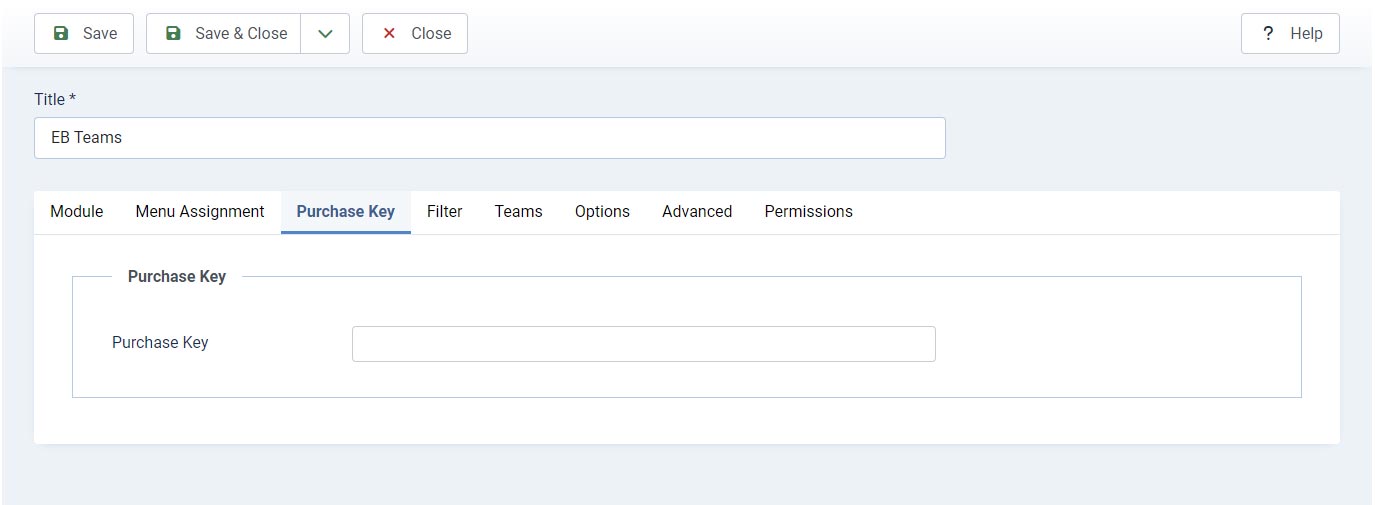
Options
- Styles - Selelct the style want to display front end
- Grid - Grid provide flexiblty of items want to dsiplay in row
- Theme Color - This color apply to the any style selelcted based on style
- Show Filter - This option allow to hide/show filter at frontend (if inside filter tad not add any filter then any how filter will not display at frontend)
- Filter Align - Left/Right/Center
- Filter Text Color
- Filter Active Text Color
- Title Color - Item title coloer
- Sub Title Color - Is apply coloer on Position fild text
- Text Color - Is apply on Short and Long Description
- Popup Function - If set ON then any style click on title Profile open in popup
- Popup Style - Popup has two style selelct based on your prefreance